


Baby Shark World for Kids
3.270.00 Reviews
App Specs
- Version
- 4.28
- Updated On
- License
- Free
- Downloads
- 1,000,000+
- Developer
- The Pinkfong Company
- Categories
- Education
- Platform
- Android, iOS
Screenshots
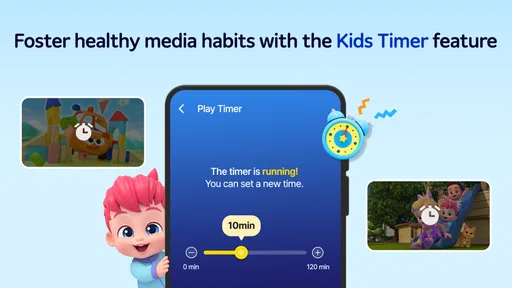
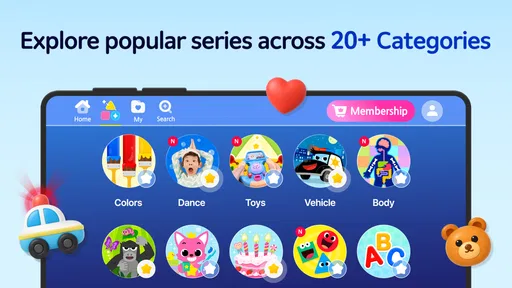
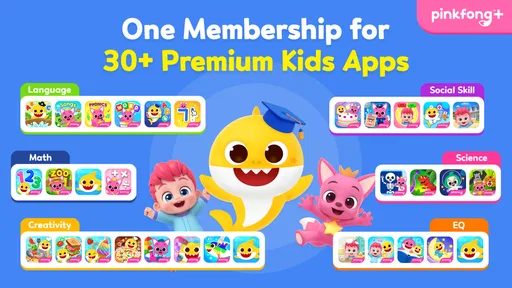
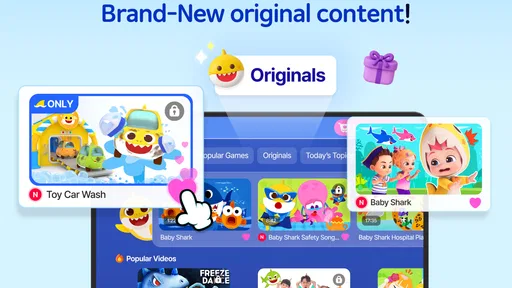
 Analysis by AppCompare
I find children’s entertainment apps easiest to judge when I look beyond whether a familiar character gets a reaction. The more useful question is what a child can actually do with the screen, how much help they need, and whether the experience fits a family’s habits. Baby Shark World for Kids is an education app from The Pinkfong Company, built around a character and songs that many young children already recognize. That familiarity can make it an easy invitation to explore, though it also means the app will appeal most to children who are already interested in Baby Shark rather than to every preschooler.
It is free to download, rated for Everyone, and has passed one million installs. Its average rating is three and a half stars from around 2,400 ratings, with 67 written reviews. I take that as a reason to approach it as a particular kind of children’s activity, not as a complete learning plan: it may be a useful choice for a short, supervised session, but families should decide whether its style and in-app purchase options suit them before handing over a device.
What trust means for a children’s app
With an app meant for young children, I pay attention to the difference between a cheerful presentation and information a parent can actually verify. Bright characters and familiar songs may make a child feel at home, but they do not answer practical questions about permissions, data handling, or account settings. I would check the current app-store privacy and permission information on the device where I plan to install it, then look through the app together before letting a child use it independently.
That is not a reason to dismiss the app; it is a sensible routine for any child-focused download. The same goes for purchases. The listed in-app purchase range runs from $8.99 to $107.88 per item, so I would check the purchase controls on the phone or tablet and make sure a child cannot confirm a transaction unintentionally. A free download does not mean every part of the experience is necessarily free, and a quick adult check can prevent a frustrating surprise.
Make a first session an adult-led one
I would start by opening the app myself, checking how its sections are presented, and seeing what a child can reach from the main screen. That first look is more useful than assuming the large buttons or friendly artwork tell the whole story. Sit alongside your child for a few minutes, notice which activities hold their attention, and decide together when the session is finished. This lets you judge the actual experience on your device without relying on guesses about how it behaves.
For a young child, clear choices matter. If the opening screen makes it easy to move between activities, that can reduce the amount of adult navigation needed later; if a child keeps tapping around without settling, it may be better to choose one activity together instead of leaving the whole app open-ended. I would also keep the device’s own purchase protections in place. Those are practical steps a parent can take without assuming that an app has a particular account system or parental-control feature.
Exploring the Vibrant Ocean of Fun
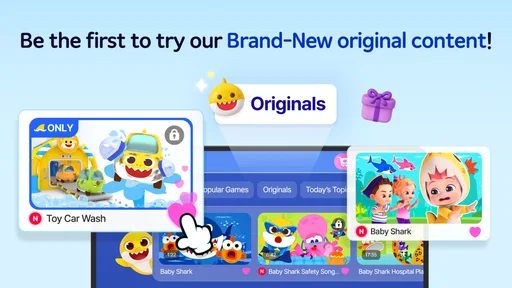
First things first, the app is visually stunning. The developers have clearly put a lot of effort into creating a vibrant, under-the-sea world that’s bursting with color and life. Once you launch the app, you’re greeted by the friendly faces of the shark family. It’s like stepping into an animated oceanic paradise where everything is designed to capture a child’s attention.
Worth Reading Before You Choose

EA SPORTS FC Mobile 26 Is a Bigger Football Game, but It Takes Time

Flipboard Shows What News Apps Must Do Beyond the Feed

Switching to Android Auto Means Rethinking Your Driving Routine

Google Calendar Makes a Crowded Week Easier to Manage

Ludo King Makes the Most of the Minutes Between Plans

Baby Panda World Brings Quick Play to Modern Phones, but Its Game Library Feels Busy
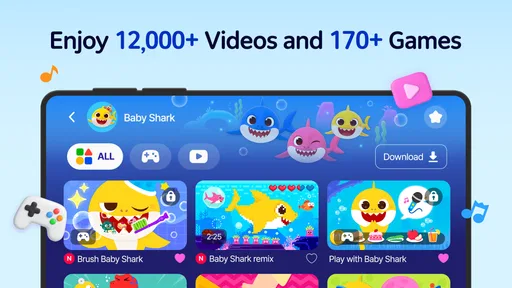
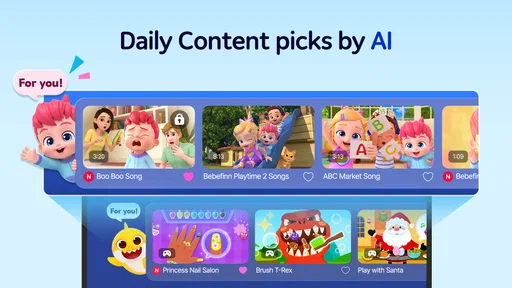
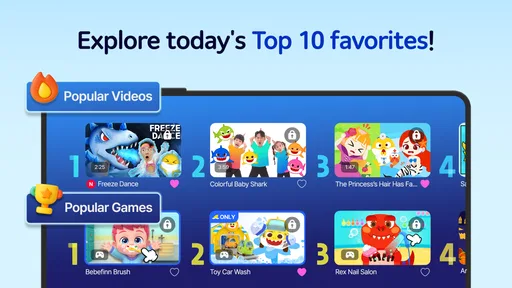
The navigation is straightforward, which is a blessing when you have little ones who are eager to explore. The main menu is intuitive, featuring big buttons and cheerful icons that make it easy for kids to pick and choose what they want to do. Whether it’s singing along to their favorite tunes or playing interactive games, everything is just a tap away.
Sing-Along and Dance
One of the highlights of Baby Shark World for Kids is the sing-along feature. It includes a range of popular songs, not just "Baby Shark" but also other catchy tunes that kids love. The lyrics are displayed on the screen, encouraging youngsters to follow along. It’s an engaging way to promote learning and improve reading skills while having a whale of a time.
And let’s talk about the dance feature. I caught myself grooving along with the characters, so it’s safe to say it’s not just the kids who will be entertained. The app encourages movement and coordination through fun dance routines, which is great for getting kids up and active.
Interactive Games and Learning
The app isn’t just about music and moves; it also brings a variety of interactive games to the table. These games are not only fun but also educational. From puzzles that teach problem-solving skills to coloring activities that spark creativity, there’s a little something for everyone.
I particularly loved the memory game, which is designed to enhance cognitive skills. It’s amazing watching kids light up with excitement as they match the cards correctly. Plus, the positive reinforcement provided by the app is a great confidence booster for young minds.
Parental Controls and Safety
Now, I know what you’re thinking: Is this app safe for my child? I would be careful with a blanket yes. Safety is not just about whether the subject matter feels child-friendly; it also includes the choices available to adults, the permissions a device grants, and whether purchases are protected. I recommend checking those details directly on your device and supervising the first session, especially because children can tap quickly and may not understand what a purchase prompt means.
The app is rated Everyone, which is useful context for its intended audience, but an age rating is not a substitute for a parent’s own review. Children differ in reading ability, attention, and comfort with screens. A child who can follow a song’s lyrics may still need help leaving an activity or understanding an on-screen prompt. I would treat the rating as one piece of the decision, alongside your child’s age and how they respond to the content.
Choosing the right moment to use it
One practical use is a short shared activity while a parent is nearby: choose a song, sing through it together, then put the device away and carry the movement into the room. That turns the screen into a starting point for interaction rather than the whole activity. Another workable moment might be a quiet wait when you need a familiar distraction, provided you have already checked the app and are comfortable with the device’s purchase settings.
I would avoid relying on it as an unattended babysitter or as a substitute for hands-on learning. The app’s music, games, and visuals can prompt participation, but a parent or caregiver can add the conversation that a screen cannot: asking a child to name a color, remember a pattern, or make up a movement to go with a song. Those small prompts make the session more active and help you see whether the child is enjoying the activity or simply tapping through it.
Where it sits among children’s learning apps
Compared with a general preschool learning app, this one has a narrower identity: its appeal is tied to Baby Shark and the ocean-themed world. That focus can be a strength for a child who already loves the characters, since familiar music may make it easier to join in. A broad early-learning app may be a better fit if you want a less character-led mix of subjects or activities that are not centered on songs and animation.
It also differs from using a music player or a physical coloring book. A song player can be simpler if all you want is background music, while a book and crayons avoid screen interaction altogether and give a child a different kind of hands-on activity. The app’s particular value is having songs and play activities together in one place. The trade-off is that a child who is mainly interested in the music may be drawn into browsing other sections, so I would set a clear purpose for each session rather than treating it as a single-purpose song tool.
For families comparing options, I would ask one straightforward question: does the child engage with the Pinkfong characters enough to make this specific collection worthwhile? If yes, the combination of familiar songs and interactive activities may feel more inviting than a generic app. If not, a broader learning app or a non-screen activity is likely to hold attention better. The right choice depends less on the category label than on what your child actually chooses to do once the screen is in front of them.
Small habits that make sessions work better
A useful approach is to pick an activity before the child starts, then agree on a natural stopping point, such as finishing a song or one game. This is often easier for a young child to understand than an open-ended instruction to stop “soon.” If the child wants to continue, offer a clear next step away from the device: dance to the song without the screen, draw a shark, or talk about what happened in the activity. The aim is not to turn every session into a lesson, but to make transitions less abrupt.
It can also help to watch how a child uses the app rather than judging it only by how long they stay engaged. Do they sing along, try to follow the words, or take turns with an adult? Those are signs that the app is supporting shared play. If they only move rapidly between screens or become upset when it ends, shorten the session and try a more structured activity. That observation is more actionable than assuming that a bright app is automatically educational for every child.
Parents may also wonder whether it is suitable for independent use, whether the whole experience is free, and whether it replaces other learning tools. I would not assume that a child can use it independently just because the interface looks simple; check the screens and prompts first, then decide based on your child. The download is free, but in-app purchases are listed, so review the device’s purchase safeguards. And while it can make a lively addition to playtime, I would pair it with conversation, books, toys, or outdoor movement rather than asking it to cover every kind of learning.
Version, access, and day-to-day fit
The current version is 4.12, and the app requires Android 7.0 or later on Android devices. Those details are worth checking before you plan a session, particularly if you are considering installing it on an older hand-me-down tablet. The app is also available on iOS, but I would still check compatibility and the purchase settings on the specific device you intend to use. A child’s app can be a good fit in principle and still be inconvenient if the family’s device is not supported or easy to supervise.
Because the app combines multiple kinds of activities, I would think about the household’s routine before installing it. If your child likes music and short interactive play, it may fit a supervised break or a shared sing-along. If you are trying to reduce screen use, avoid character-led content, or find a tool for a specific school skill, it may not be the best match. Knowing that distinction ahead of time is more useful than downloading it simply because the character is familiar.
Final Thoughts
In conclusion, Baby Shark World for Kids is not just an app; it’s a gateway to a world of fun and learning. Its engaging content, educational games, and safe environment make it an ideal choice for parents looking to entertain and educate their children. The app is available for both Android and iOS, making it accessible to everyone.
So, if you’re ready to dive into a sea of joy and learning, this app is definitely worth checking out. Grab your device, download the app, and watch as your child explores the wonders of the Baby Shark universe, one fin-tastic feature at a time!
My cautious recommendation
I would recommend trying it if your child already asks for Baby Shark and you want a few different activities to share, rather than only replaying a song. The strongest case is a parent-led session where singing, movement, and a simple game can take turns. The weaker case is a child who is not interested in the characters, or a family looking for a broad curriculum, a tightly controlled standalone music player, or screen-free entertainment.
My trust judgment is deliberately practical: check the permissions and privacy information shown for the app on your own device, review purchase protections, and explore the interface before giving it to a child. I would not assume specific privacy practices or controls without seeing them for myself. If those checks feel comfortable and the activities suit your child, it can be a cheerful option to try; if you want verified control over every part of a child’s digital experience, compare it with options whose controls and data practices you can inspect directly.
Pros
- Engaging and colorful animations.
- Easy-to-use navigation for kids.
- Wide range of educational content.
- Includes fun and interactive games.
- Safe environment with no ads.
Cons
- Limited content without subscription.
- Requires internet for most features.
- Can be repetitive for older kids.
- Subscription can be pricey.
- Large app size may strain storage.
FAQs for Baby Shark World for Kids
What age group is Baby Shark World for Kids suitable for?
Baby Shark World for Kids is designed for children aged 2 to 6 years old. The app features engaging and educational content that is age-appropriate, focusing on developing cognitive and motor skills through interactive games and songs that are both fun and educational.
Does Baby Shark World for Kids include in-app purchases?
Yes, Baby Shark World for Kids offers in-app purchases. These purchases can include additional games, songs, or features. Parents should be aware of this and may want to adjust device settings to prevent unauthorized purchases by their children.
Is Baby Shark World for Kids available offline?
Certain features of Baby Shark World for Kids can be accessed offline, such as pre-downloaded songs and games. However, to fully utilize all content and receive updates, an internet connection is recommended. Parents should consider this if data usage is a concern.
What kind of educational content does the app provide?
The app offers a variety of educational content aimed at early childhood development. This includes interactive games that teach colors, numbers, and shapes, as well as musical activities that enhance creativity and rhythm. The content is designed to be both entertaining and educational.
How safe is Baby Shark World for Kids for my child?
Baby Shark World for Kids is designed with child safety in mind. The app includes parental controls to manage content and interactions. Advertisements are minimal and child-friendly. Parents are encouraged to supervise playtime to ensure a safe and enjoyable experience.


